Recently, the Blood and Plunder community was given the gift of our own spot on Longshanks! Longshanks has become a very important part of the miniatures gaming community for many different miniatures games, and now we have the chance to do the same!

What is Longshanks?
Longshanks is a website that was designed to help event organizers with the background stuff needed to run an event. This includes pairings, tracking scores, and distributing information like pairings and table numbers. It is a marvelous website, and I think all the games that have fully embraced it have become better for it. This website helps create a solid “standard” set of parameters that helps organizers who may not understand how to create or maintain complicated excel spreadsheets and helps get people into the action much more quickly!
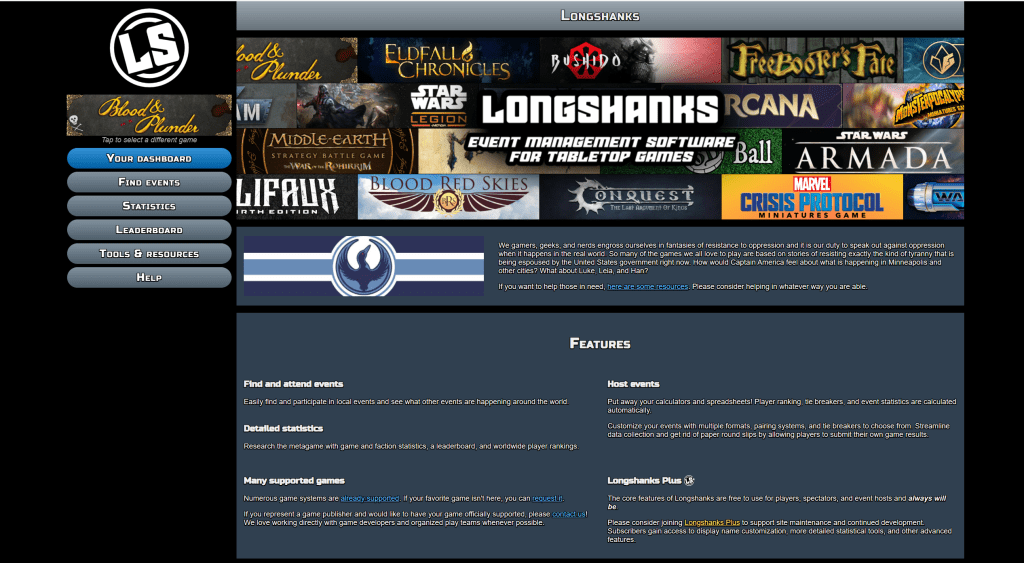
One added benefit of Longshanks is that it also tracks statistics that people might find interesting on a casual or more competitive level. Want to know which forces are doing really well for English since you are thinking of what to bring to Adepticon? Well, you can take a quick peek on Longshanks and get a surface, or even much more in depth, glance at how each force is doing. You can even get as specific as if the attacker wins more often than the defender for the specific scenario!
Another added benefit of using something like Longshanks is that it is also a good way to see if something is still “current.” If you have a book and are wondering if a particular scenario is used at events or has been phased out, well you can look on this website and see that it is still an option.
It is wildly useful, but it can also be intimidating if you don’t know how to utilize the website. That is what this article is all about. We will take a look at some of the features and how you can add your own data to our growing community.
And who knows, maybe YOU can become the next Pirate King!
Make An Account and Profile
The title says it all. It is very easy to make an account. All you have to do is have an email and know how to click a button. Just enter your email and verify it. This should give you an account and your LSID (Longshanks ID number).
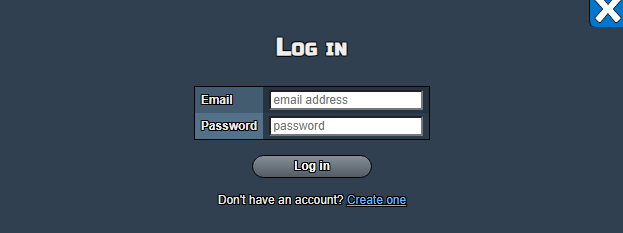
This LSID is the most important number in this entire situation since it is how you enter events and have your stats tracked. The good news is that even if you don’t know how to use this website, if you give this number to someone else who does, they can enter you into events and put you into any games that you play against them. Which I will explain in the next section.
After you have an account, select the game that you would like to interface with. Click on the big multi-colored ALL GAME SYSTEMS picture and this will bring up a collection of games that you can interface with. Due to you reading this on a Blood and Plunder website, lets assume that is the system you want to use. Click on the Blood and Plunder Logo.


Once you click on that button, it will give you the options to do things like look at stats and look for events for that specific game system. Here is MY profile.

From this page, you can interface with pretty much anything you need to do on the most basic level of events and tracking games. I won’t go into the super in-depth stuff and will leave you to explore this other than the statistics, which I will go over briefly.
Remember, the LSID is how people can enter you into events and games. If nothing else, THAT LSID NUMBER IS THE THING YOU NEED TO BE ABLE TO participate.
How to Add a Casual Game
One of the biggest benefits of this website is that it will track statistics that people can look at and enjoy. This also helps playtesters keep track of what is doing unusually well and can actually help maintain a balance for the game that everyone will get to enjoy.
Casual games are not ranked (more on that later), but are very helpful for people who like raw data and new players who are trying to get a grasp on what people are playing. So how do you enter a casual game. SO GLAD YOU ASKED.
First, you press the VS tab on your dashboard.

This will bring up the casual game tab area. It should look like this. You will see a button that will let you “Submit a New Casual Game.”
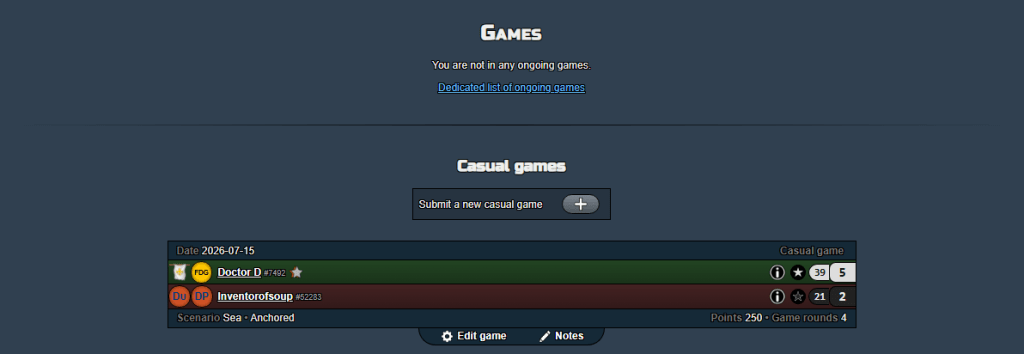
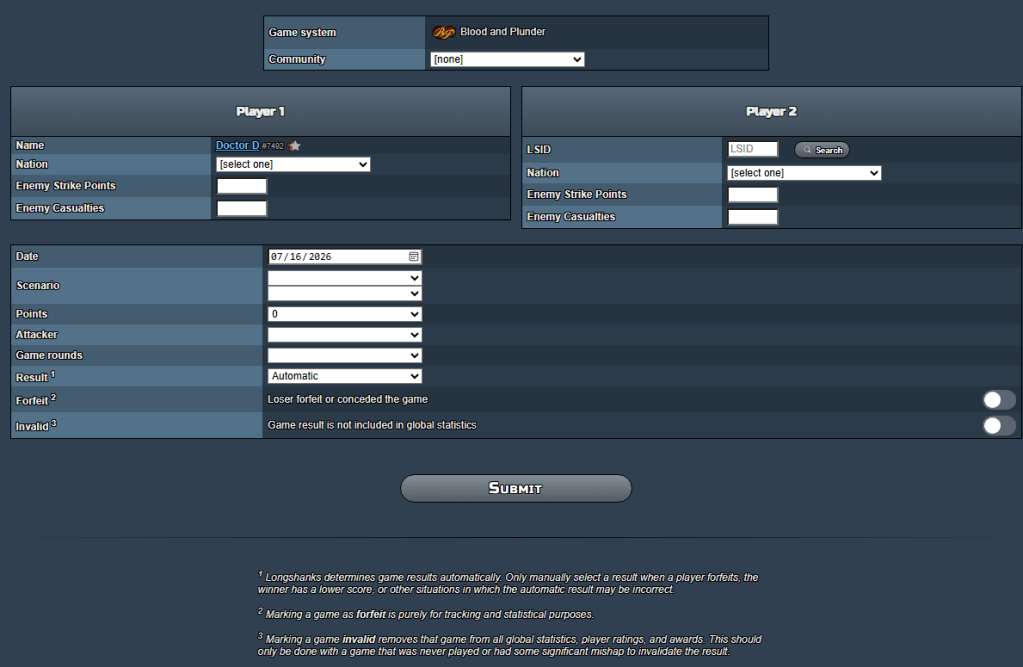
When you press that button, it will bring up this big, scary screen with lots of options. DON’T PANIC!!!! It’s actually very easy to do this, and it will help give the community data. It is important for you to be as accurate as possible in this, since it will become available for people to see in the statistics page.
Here’s a summary:
- Play your game
- Click “VS”
- Click “Submit a new casual game”
- Add Nation/Faction info
- Add opponent’s Strike Points and Models killed numbers
- Add opponent’s LSID (and potential other info)
- Add scenario info
- Add Attacker/Defender info
- Add number of rounds info
- Submit!
Let’s take it one step at a time.
Before you do all of this, let’s say you played a game. I will use my last game against my friend, Mike as an example! The first step is to play your game and have fun! That’s what this is all about after all.
After you finish your game, bring up this screen and start to fill in the selection fields. For Nation, enter which nation you played with and put which force your opponent used. They are divided by Nation, so make sure you find your Nation (France) and then pick which force you used (Flibustiers De Graff).
Next, and THIS IS GOING TO BE WHERE YOU MAKE A MISTAKE IF YOU MAKE ONE DURING ALL OF THIS. You must enter your OPPONENT’S STRIKE POINTS under your name. This is because the longshank’s system was not designed to have an objective system where you want a lower score than your opponent. So, make sure you put your opponent’s strike points in that field, there is a way at the end of this to know you did it right that I will go over.
Next, enter the number of models you killed in the “Enemy Casualties” field. This is a tie breaker and is going to be used going forward to slightly help against horde style armies. This is more important for tournament games, but it is good to practice it for casual.

As you can see from the picture above, the LSID section for your opponent is empty If you were to submit this game, your opponent would not get credit, and that is ok since it would still enter the statistics into the system. If your opponent wants their profile linked to the game, they should give you their LSID so that you can put it into that field. Lets enter Mike’s LSID. After doing so, do not hit enter, just leave the number in there and it will attach the profile once you hit submit at the bottom. It should look like this.

Do not hit search, you can do it that way, but you have to know your opponent’s profile name and their email. It gets cumbersome and is much easier to just enter a number.
Now, we have to enter the scenario information so that we can tell what type of game you played and other stats like what turn the game ended on and who was the attacker.
First, make sure the date is correct. It should autofill with whatever the current date is, and honestly this probably doesn’t matter all that much, but it’s always nice to be sure.
Now, you see two fields next to the scenario selection area. This might seem confusing, but fear not! The first selection is to determine if your game was a land, sea, or amphibious game. This is important since many of the scenarios in this game can be played in all 3 different forms. Even for scenarios that only have a sea version, like many of the ones in Raise the Black, I would strongly encourage you to just select Sea Battle for stats tracking.
The second selector should be the scenario that you and your opponent played. I separated the scenarios by which book they were in for ease of use, and even included the number for the dice roll that you could have used to pick a scenario. Select whichever scenario you used. For our example we will use Anchored.

So good, so far. Next, select the number of points you played or as close as you can get it since it has to be in 50 point increments. Our example game was 250.
Next, the attacker should be whoever won the attacker role at the start of the game. Remember that the Player 1 and Player 2 selections line up with the headers at the top. So, Dr.D was Player 1 and Mike was Player 2.
Next you put in the turn the game ended. In our example, Dr.D beat Mike soundly due to some lucky rolling and Mike striked out at the end of Turn 4. That means you would select turn 4 for this. If your game went all the way to the end of turn 6 or your scenario tells you to go beyond that, just select turn 6.
Now, the result selector might seem confusing, but if you put everything in correctly, you don’t even need to click on it. Automatic means it will automatically assign the winner based on the entries. If you are playing a specific scenario or want to give a player the win specifically for whatever other reason, you would select that here. I can only speculate on why you are doing that, but I am sure there is a reason.

Now, the last two little toggles there can just be ignored unless your opponent forfeit or you don’t want to have your results tracked. The forfeit option is more based on tournament results since casual games are not put against your ranked points (which we will get to in a bit). The games not being tracked should be used if your game included something that would place it outside of the normal parameters of the game. This is more for playtesters who might be doing games and trying things that not everyone has access to or something. GENERICALLY SPEAKING, THESE TWO SWITCHES ARE NOT NESSECARY.
After that, hit submit and you have done it! You entered a game into the system, and the background website stuff will add it to the global statistics and to each person’s profile. Now, how do you know if you put the strike points in the right spot? It is easy, look at the color of the names for the submitted game. The winner’s name should be green. If the person that lost is green, that likely means you put the points in the reverse order. No need to panic though, click the edit game button and you can give it a quick switch.

Congratulations if you did it right, and we can look at what this all means for the statistics later, but I want to take the time to thank you for your contribution to the game and helping get even more awareness for this game that we love.
Entering a Tournament Game
At this point, I will put in how to enter your scores for a tournament game and will likely create another article on helping people actually create the tournaments themselves. Thankfully, this is VERY similar to entering a casual game like above.
First, you need to be in the event you are entering the scores for. Let’s use a previous event I hosted as an example. On your dashboard, you will see the Attended and Hosted Buttons, click on the correct button (it might be Current and not Attended, but I can’t change it while writing this article since I am not in an actual event).
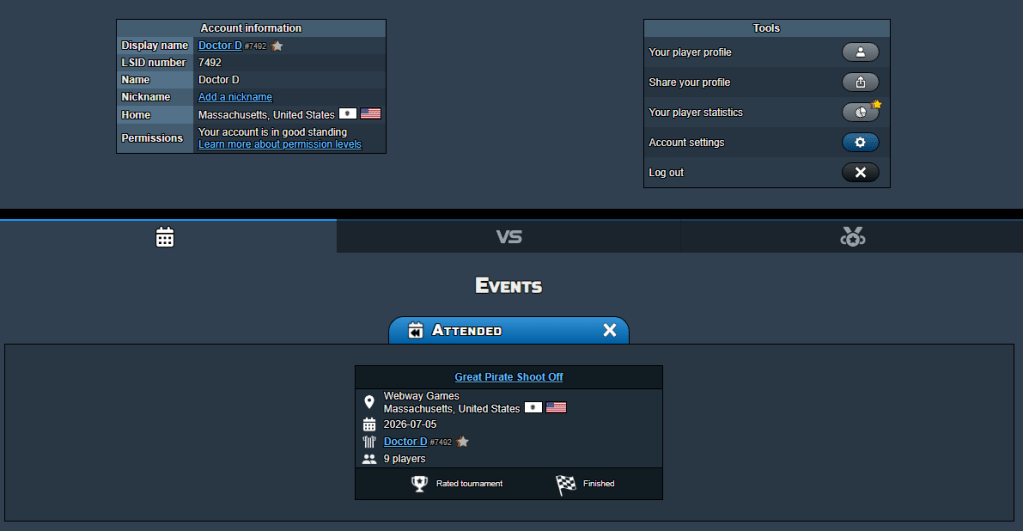
Once you are in the event, scroll down and click the VS tab. There will be a drop down selector that lets you pick the round, but it should auto select to whatever the current round is. Once there, you can find your game and who you are playing against at what table. Once you complete the game you can enter your scores in the exact same way as the casual game above, but your opponent’s profile will already be entered, and your point and scenario will be auto selected as well if the tournament organizer did it correctly on their end.

If not, follow what I said above for the casual game selection stuff and you can easily remedy any information that is not automatically inserted.

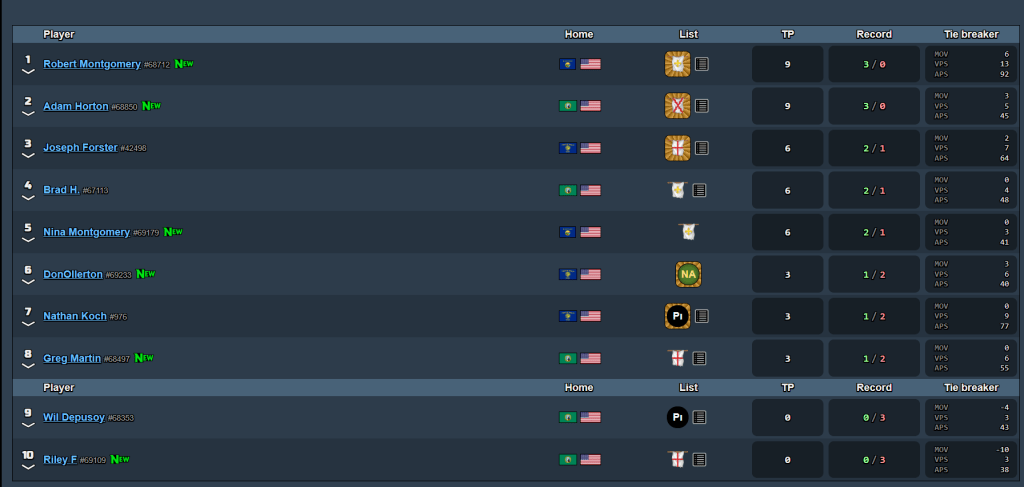
Here are the results of a recent Blood & Plunder tournament using Longshanks:
Statistics and Rankings
Ok, so you are putting all of this information in to the system. Why does that matter and why do you care? Well, some people out there REALLY like numbers and looking at them. The Longshanks system also has a ranking system that runs in the background. Currently, there is not enough data and events in the system for this to exist in Blood and Plunder, but I will show the area in Marvel Crisis Protocol, since that is the game that put Longshanks on the map.
WARNING; I PAY FOR THE LONGSHANKS PLUS STUFF, SO I AM NOT ENTIRELY SURE WHAT IS ONLY AVAILABLE TO PEOPLE WHO PAY THE 5 DOLLAR SUBSCRIPTION, SO IF YOU CLICK ON SOMETHING AND IT SAYS YOU HAVE TO PAY, I APPOLOGIZE.
First, select the statistics button on the left side of the screen.

That will bring you to the page that has ALL of the gathered data for the game. This will include number of games by each nation, the win records for each nation, how many events are being done and if they are tournaments, leagues, or even hobby events! This helps inform others that the game is alive and well and can help get more people involved in doing events since it helps track all the annoying things in the background.
It is still early days for Blood and Plunder on Longshanks at the time of recording, and I might come back after it gets more popular to highlight stuff like our own leaderboards and how the information being presented helps with decision making. Currently, the data is too small and skewed. That’s ok though! Everything has to start somewhere.

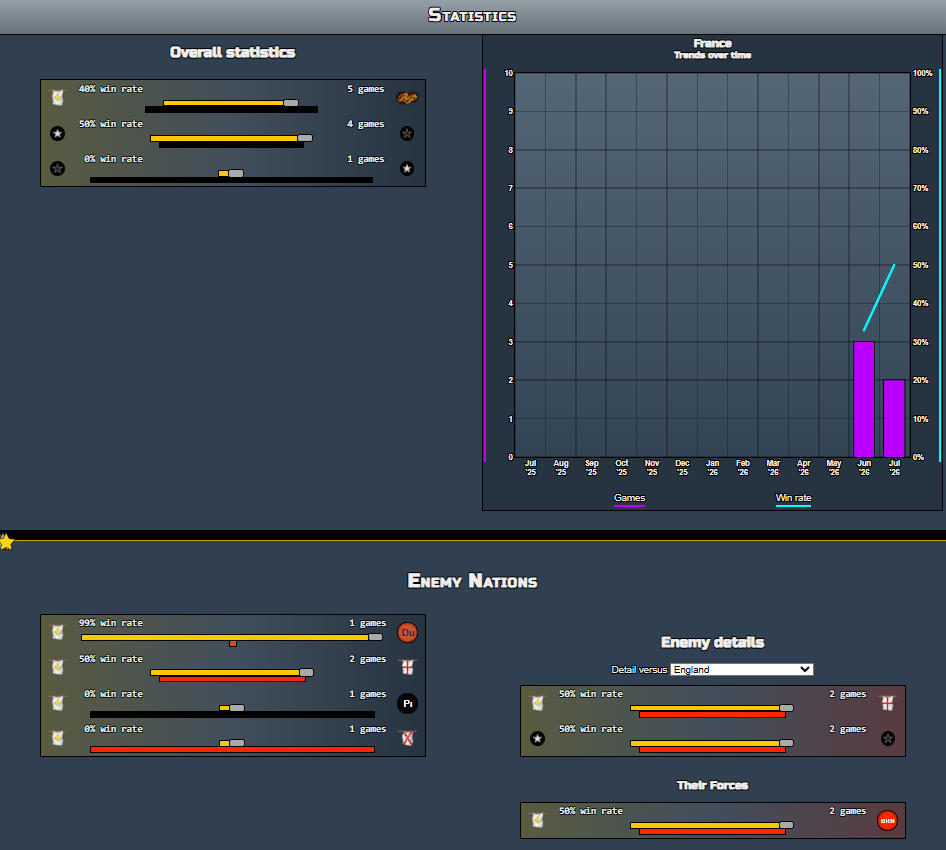
Let’s say you play France, but are curious to see how French Army is doing in the global arena. Well, you can click forces and have it open up to all of the forces that have been used and added to the statistics.

Well, it seems that French Army might be having trouble since the single game that got entered was a loss. Well, maybe if I wanted to do better, I could switch to Flibustiers De Graff or Nau. They currently have a 100% win rate and whoever plays that force is probably very handsome and loved by the community. (Psssst….it was me.)
Now you can hit analyze and it will give you even MORE data and tell you how well France does against specific nations and forces. That is locked behind the subscription so I will leave you to discover it on your own, but it is really interesting once the data is there to analyze.
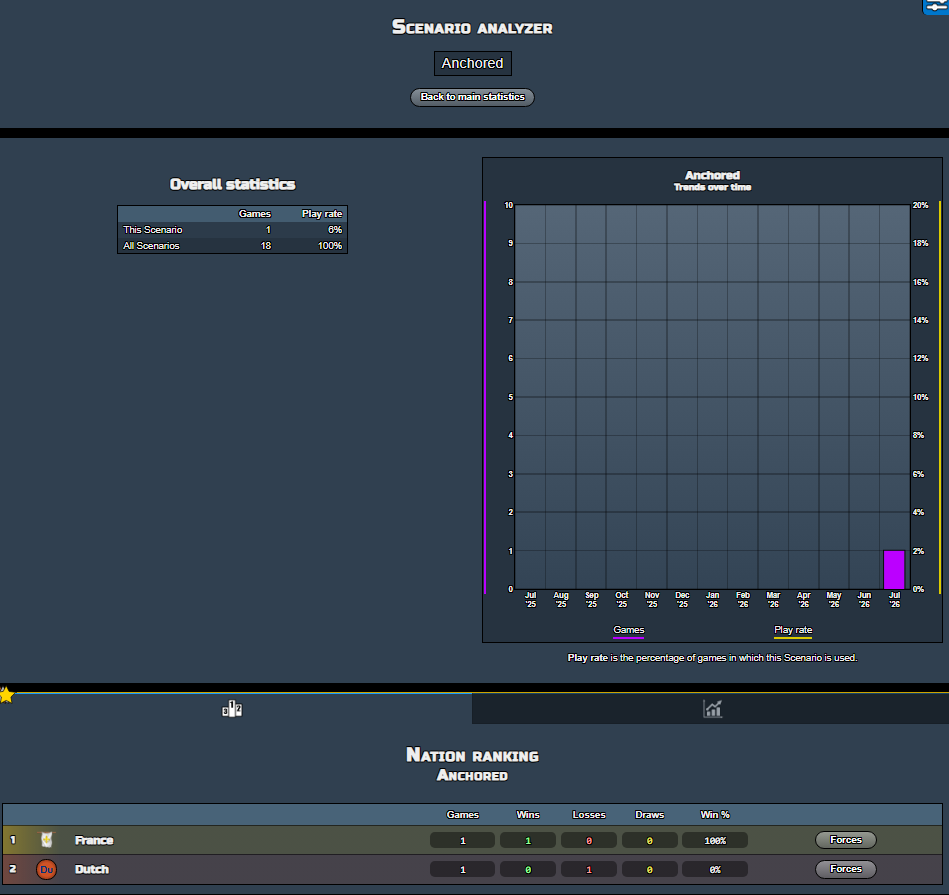
If you scroll down, you can see the data on scenarios and attack and defender. This helps create more correlation that could help with list building in the future.
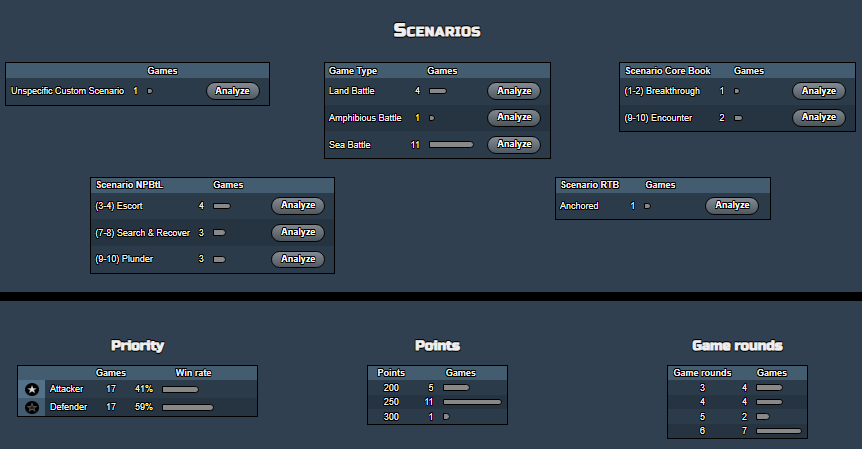
Again, these scenarios can be analyzed and can even be used to determine which nations are doing better at each specific scenario based on the data.
Rankings
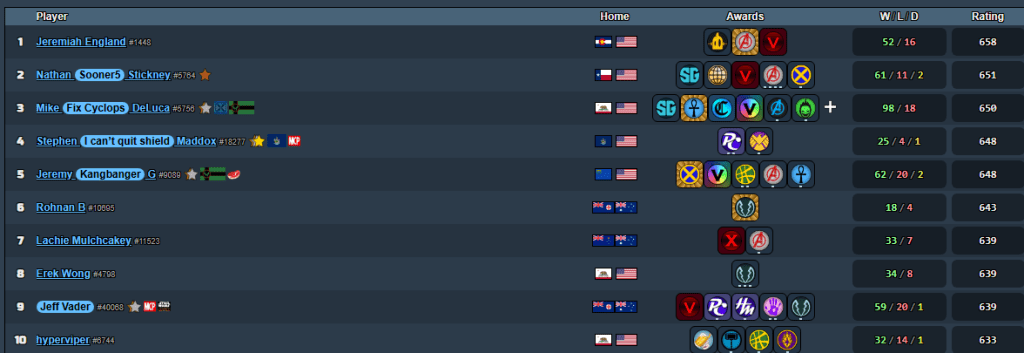
I will be using another game for this since Blood and Plunder currently does not have enough data to have rankings yet. This will change in the future, but I wanted to get some hype around this. I will come back and change this once Blood and Plunder statistics is really going.
We will look at Marvel Crisis Protocol. If you click on Leaderboard on the left side of the screen, it will bring up the options for the rankings for the ENTIRE game of choice to see who is the best and who deserves respect.
You can also see who are the best players for each indivdual force, or Nation in the case of Blood and Plunder. Here are the best players for Dark Dimension for MCP
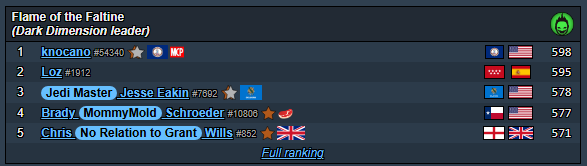
I have always found some friendly competition is great for fun rivalries and stories in the tournament scene. This also means that the trendsetters get some spotlight and people can learn from their wisdom. I suspect Niguel will be one of those players in Blood and Plunder once everything gets kicked off. Rankings like this help the community learn and respect each other.
Conclusions
I hope that this article helps with some of the very basics of using Longshanks. I can write articles in the future that will help with creating events, but it is important for people to start submitting games when they can! If we use this website well, it is much easier for us to ask Longshanks for the other Firelock games like Oak and Iron and Blood and Valor.
I think it would be remiss to not give a HUGE shoutout to Sam for running the website and REALLY being accommodating to our community and giving us the chance to use Longshanks. Tizdale from the Adepticon dream team also deserves a huge shoutout as he helped create the opportunity for Sam to create this website after he saw how previous Blood and Plunder events were being run. This goes to show that what makes our community strong is all the incredible skills that each individual person brings to the table.

NOW GO PLAY SOME GAMES AND PUT YOUR SCORES IN SO WE CAN HAVE A REALLY COOL LONGSHANKS PROFILE THAT ALL THE OTHER GAMES ARE JEALOUS OF.
Article by Dr. D
Pingback: 2026 Pacific Northwest Blood & Plunder Land Tournament Event Report - Blood & Pigment