Blood & Plunder Online Force Builder
The Blood & Plunder Online Force Builder is one of the best things that has ever happened to Blood & Plunder. The ability to quickly assemble a force, choose commanders, force options, upgrades, ships, and characters for your force, and print it out in a single handout is amazing! Many players have spent hours and hours experimenting with forces and exploring the depths of the Blood & Plunder on this website. I’m afraid to think of how many lists I’ve built on the Force Builder since its launch in 2018.
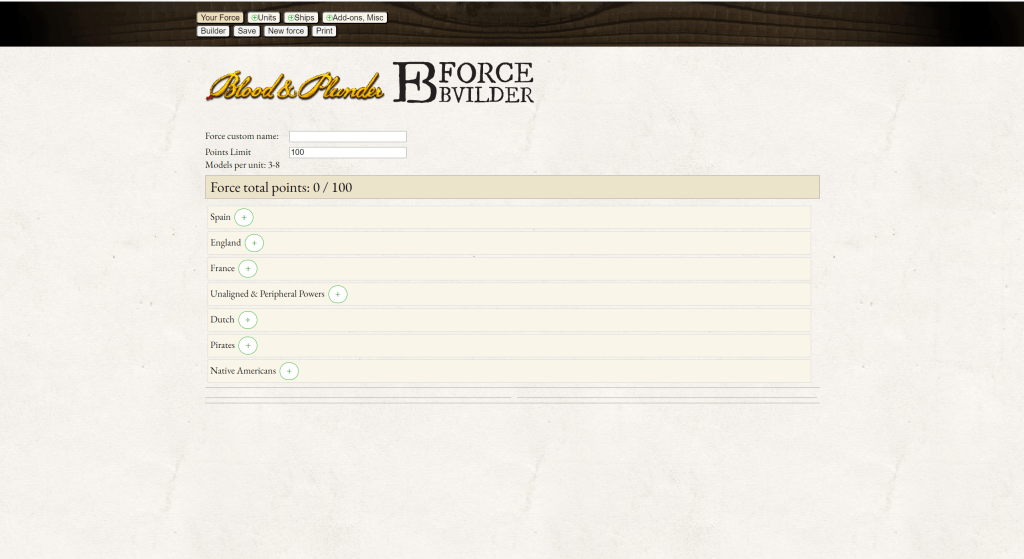
It is safe to say Blood & Plunder would not be enjoying the same level of success if this wonderful tool did not exist. A huge thanks to Firelock Games & Mr. Tom Pace and everyone else who has worked on it over the years (myself included lol).
If you haven’t used the Force Builder before, check out this quick guide on how to use it. But finish this article first!
The Blood & Plunder Force Builder is awesome. But, as with any powerful tool, there are some pitfalls and potential dangers to avoid. Here is some advice on how to use the Force Builder well! I’ll try to couple DO’s and DONT’s together.
DO: Build Lots of Forces
Building forces, messing with weapon upgrades, commanders and force options can help you learn how the game works and forces come together. You can learn a LOT just by experimenting on the Force Builder.

DON’T: Skip Reading the Rulebook
While you can learn a lot messing around on the Force Builder, it can’t teach you how to play Blood & Plunder. It is not a replacement for the rulebook! I have been known to say this often, but if you want to know the rules, you should read the rulebook! Nothing replaces reading that chonky boi (as Dan would say) cover to cover!
If you jump into using the Force Builder without a decent understanding of the rules, you will make mistakes and do illegal stuff. Not the end of the world! The more you play with other players, the more of those potential issues you can work out. But you’ll be doing yourself a favor if you buckle down and READ THE RULES!

I find many players never actually get around to reading the rules in a thorough fashion at all! The rules are usually taught from another person at a game store, convention, or at a gaming session. That’s a great way to start! You get instant feedback, information is presented as it is needed, and you get to immediately move things around on the table and see how things work. But it is still very worth your while to actually read the rules. 🙂 DO IT!

DO: Try New Things
There are a lot of different factions to try on the Force Builder. This is a great way to poke around and see what the game has to offer. There are currently (late 2024) 99 different Blood & Plunder factions, each with different combinations of force rules, units, and commanders. It’s a treasure trove of gaming to explore!
DON’T: Taste Everything and Learn Nothing
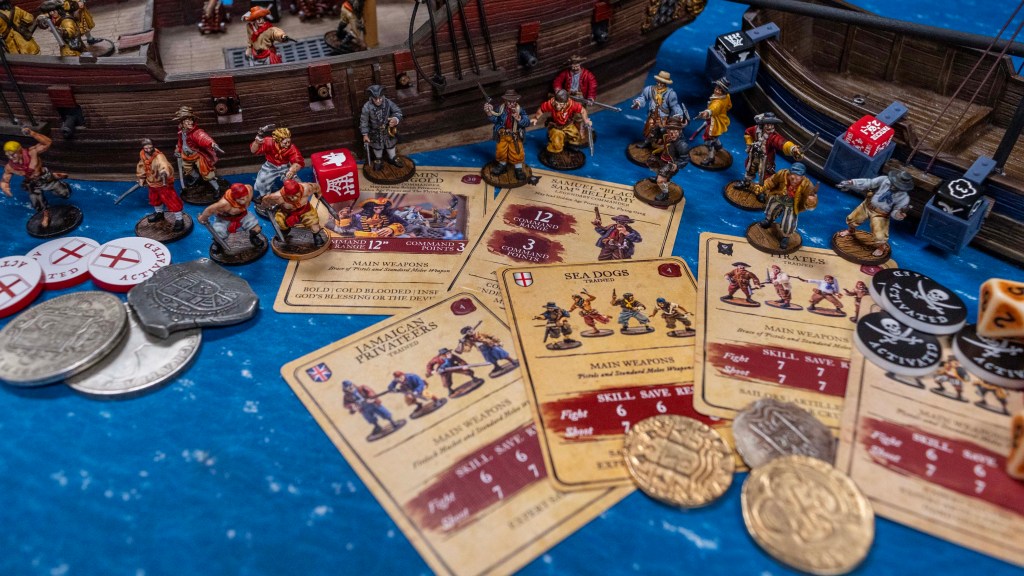
If you’re just getting into Blood & Plunder, the wealth of options can be overwhelming, or just too tempting. A wise approach is to choose 1 faction and play it several times in a row while learning how to play the game. There are several “layers” of rules to remember in Blood & Plunder and it can be very easy to miss stuff. If you jump from French Buccaneers to Maroons to Portuguese to Scottish Militia you’ll never actually remember what all the units and commanders and faction rules do! You’ll soak up more if you play your French Buccaneers 4-10 times in a row BEFORE trying something else.
A lot of the “flavor” and powerful abilities in Blood & Plunder are small and subtle easily missed rules while you’re focusing on the basic mechanics. If you use Flibustiers but constantly forget Fast Reload and Brace of Pistols, you will probably get steamrolled by a raging horde of Spanish Milicianos. On top of those unit rules, you need to remember you have the option to discard your hand and draw a new one for free! When your command unit knocks out that unit of Milicianos, you remove Fatigue from your force with the lead by example.
Bringing all those various rules together, and applying them at the most advantageous moments makes Blood & Plunder the most fun. But chances are you won’t be able to keep track of 15 new unit rules, weapons rules, command rules, character rules, and faction rules on the first, second or even third playing a faction.
Keeping Your Sanity with Factions
It can just be overwhelming looking at all those factions as well! Which should I play and why? You can look over our nationality and faction guides here on Blood & Pigment to get some general information on how nations and factions play, but you really need to play a faction or two several times and then you can start to appreciate the rules and differences.
Start with what’s in the book you have until you’re reasonably familiar with how things work, then work from there, either trying something a little bit different (sea faction after some land factions) or something entirely different (try a new nation with proxies).
You’ll be doing yourself a favor by sticking with one faction for a good while. Just because there are all those factions and options on Force Builder, it doesn’t mean you have to try them all right away! Take your time!
Do: Enjoy the Free Service!
It is very generous of Firelock Games to put this much of the game out there on the internet for free access!
DON’T: Avoid Buying the Books!
Just because it’s out there for free, don’t use that as a reason to never actually buy the Blood & Plunder books!
If you use the Builder as a reason not to buy the books, it hurts you, and it hurts Firelock Games.
- It hurts Firelock Games if people never actually buy their books! Please support the game you’re enjoying by purchasing the product you’re using.
- It hurts you if you never buy the books! You miss out on a lot of good stuff if you work solely from the Force Builder. Every Nation, Faction, Commander, and Unit has background, history and biographies to help you understand and enjoy the game more! And the books are more than just army lists.
- There is all sorts of extra material in all the books, including additional rules, optional rules, more ships, fortifications, scenarios, campaigns, timelines, historical context, and other good stuff!

Strengths and Weaknesses of the Force Builder
OK I’ll get off my other soapbox. For now. Let’s pivot and practical things to be aware of on the Force Builder. What are the best features? What are some weaknesses?
Things the Force Builder Does well
Here are some of the things the online Blood & Plunder Force Builder does well and you can rely on
Math
No one likes tallying up points on paper for each unit, upgrade and commander. The Force Builder does an excellent job doing all the math for you.
Model Count
Every time you add a commander, unit or character, the Force Builder updates the total number of models in your force. It also updates your Strike Point threshold which is very helpful!
Balance Core & Support Units
Standard rules for the game require forces to include at least 2 Core units for every 1 Support unit. The Force Builder will alert you with a warning in red text if you break this rule!
Character Count
Standard rules for the game limit you to 1 Character per 50 points in your Force and no more than 1 per unit. The Force Builder will currently give you a warning banner if you include more Characters than units, but it won’t tell you if you have more than 1 per 50pts. In progress…
Applying Experience Upgrades
If you upgrade a unit’s experience level, you must upgrade all units of the same type. The Force Builder does a good job of forcing you to follow this easily-missed rule.
Collecting your Special Rules
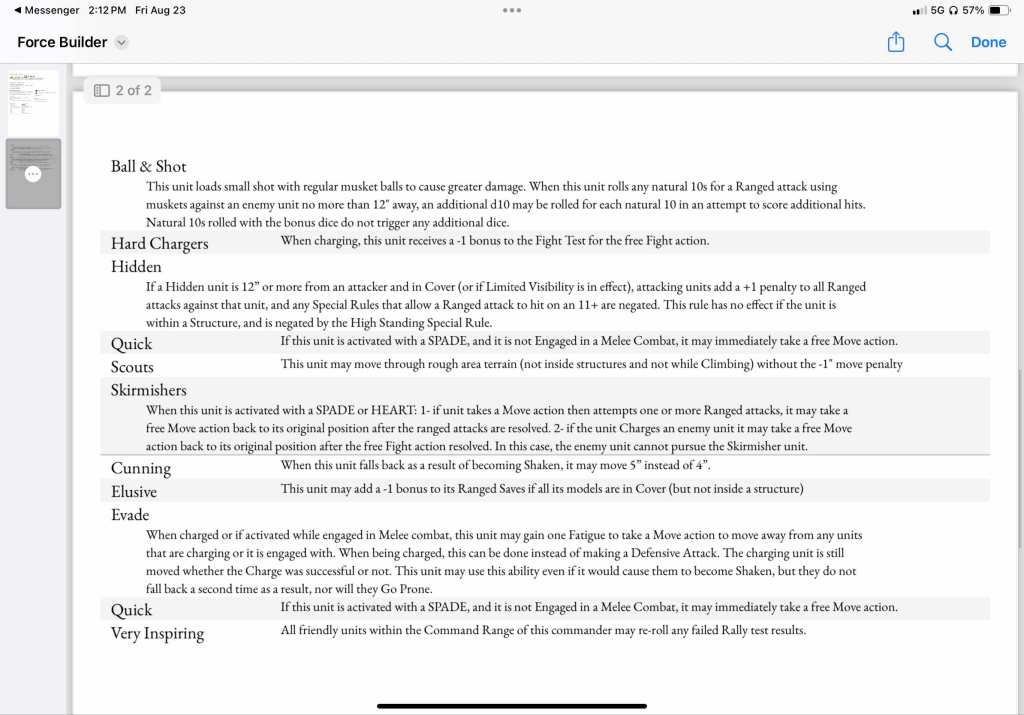
When you add a unit or commander to your Force, the Force Builder will collect all the Special Rules linked to them and print them in one section on your printout, making reference to your Special Rules super easy! You don’t have to search your rulebook every time you need a definition! There is a weakness here as well as Special Rules are not linked to Faction Rules, Force Options or Characters in the same manner.
For example, if your Commander has the Skirmishers Special Rule, the Force Builder knows it and will add that to the Special Rules section of your generated print out. But, if your Wabanaki Faction Rules gives all your units the Skirmishers Special Rule, the Force Builder doesn’t know that and won’t print present that rule for you in that case. This could be corrected and may be corrected in the future but there’s a long story behind that!
Collecting all your Stats
The Force Builder will print out an easy to use page with all your unit stat numbers and rules on it. This mostly replaces the stat cards available from Firelock Games. It serves the same function with some advantages and disadvantages. It’s better because you can make all your unit options really easy to see and remember (Pirates have 1 Firepot) and you can customize each unit if you take multiple of the same unit profile (one unit of pirates has Brace of Pistols while the other has Buccaneer Guns). Its worse because the stats are teeny tiny, hard to read, and aren’t as well labeled as they are on the official stat cards. The image for unit on the Force Builder may or may not be present or accurate (another long story) while the official stat card will give a good representation of what the unit should look like.
Ship Stats
The Force Builder prints out a little minis ship stat card with all the ship traits and special rules presented and defined and, best of all, the Fortitude/Integrity graph that you can use to keep track of the damage on your ship. You likely have the stat card for your ship, and that is better in many ways. But if you haven’t sleeved or laminated your ship card, you can use a pen or pencil straight on your paper print out to keep track of damage on your ship. The Ship card has all the reload bubbles, sail settings, stats, and critical hit bubbles, so it’s a much better stat card, but the ship stats are useful on the Force Builder print out as well.
Limit Unit Size
The basic rules of building a Blood & Plunder Force give you a minimum and maximum unit size depending on what the total point size for your Force is. The Force Builder does a great job of not letting your break those rules. There is an exception to those rules that the Force Builder doesn’t recognize but more on that in #6 below. [Right now the Force Builder is incorrect when it comes to Forces <100pts. The rules allow units of 3-8 models for any force up to 100pts, but the Force Builder uses the ORIGINAL limit of 2-4 models per unit in games of less than 100 points.]
Things the Force Builder is NOT Good At
These are things that can be misleading or are limited by current programming options. Some are super obscure. Don’t feel obliged to read all of these if they don’t touch on something in your Force(s).
#1 The Core Rules Factions are Expanded on the Force Builder
The first Factions published in the original and revised (2024) rulebooks aren’t represented 1 for 1 on the Force Builder. When No Peace Beyond the Line was published, those Factions were updated with more fun options! For example, the Spanish Militia Faction was given options for including Native auxiliary units and cavalry where those didn’t exist in the original book. The English Buccaneers can include Dutch units which were not included in the original book.
It can be a bit confusing since you have more options in your English Buccaneers Faction on the Force Builder than you see in your core rulebook. The basic rules are the same. The OG factions were just given more after the first big expansion to the game. [This issue may be rectified with Core Rules factions added for these handful of factions.]
#2 You Can Only choose One force Option
Many factions have a couple Force Options after you select the Faction. Force Options usually focus the Faction down to something more specific with a couple small modifications, either in rules or unit selection. For example, Spanish Militia in No Peace Beyond the Line have the Cinquentaine, Guerilla Fighters and La Florida Force Options. Each comes with a slight adjustment in units in the Core and Support slots. It isn’t readily apparent on the online Force Builder, but you can only (legally) choose one of these options for your Force.
#3 You Need to Know Certain Limits and Rules
Just because the Poisoned Arrows gear is on the Force Builder doesn’t mean your Dutch Sailors can you use it! Its only available to a select set of Native Factions. Some things are only available to certain factions or units and while that is easy to ascertain when working from the book, there is no indication of limits on the Force Builder for some of these things. The programming could be more robust and complicated, but again, the Force Builder is a tool, but doesn’t teach you how to play the game.
#4 Not Every “Force Option” on the Force Builder is Truly a Force Option
I’m sorry you had to read that sentence. There are a couple Factions that grant units special rules or options or gear, and the only way to make that option pop up for your unit is to make it a “Force Option” on the Force Builder, even though it’s NOT technically a Force Option in the rules! A good example of this is the Baymen Faction from Raise the Black. Units in this faction can pay 4pts to add the Elusive and Scouts Special Rules.
The only way to program this to pop up on units in this faction is to make it a “Force Option” you select after choosing the Faction. Once selected, all units in the faction will have the option to take that upgrade. But its not a Force Option and you could still take the Out of Practice Force Options (looks like it conflicts with #2 above!).

The South American Tribes and Kalinago have a box you can click to add the Poisoned Arrows option to your units as well, but again is not a real Force Option. You should check your rulebook for a true confirmation!
#5 Force Builder can’t Connect a Character to a Unit
You can add Characters to your Force with the Force Builder, but it doesn’t allow you to add Characters to a specific unit. This is mostly annoying for Tournament List validation and whatnot. Many Characters have limits on which units they can be attached to but Force Builder can’t monitor that for you. The Character profiles tell you their limits, but you need to keep track and make sure you don’t break those rules.
#6 The Force Builder doesn’t Allow for Characters to Expand Unit Size
This is a weird one and comes up a lot within the community. Characters don’t count towards maximum unit size (for whatever reason). But since the Force Builder doesn’t connect Characters to units, it won’t allow you to increase that unit past the standard max of 8 models in your 100 point Force. This might cause you to ask questions about unit size etc, but I will point you to page 118 of the Revised Rulebook, pg 105 of the Starter Set Rulebook, pages 152-155 of No Peace Beyond the Line. If you read the rules, that should answer your questions! 🙂
There is an easy hack to get around this on the online Force Builder. If you want to add a Master Gunner to your unit of Sea Dogs, simply add the Master Gunner Character profile to your Force. The 6pt will upgrade one of the models in your unit to the Master Gunner (that cost is the upgrade cost which is addition the the base cost of the model). Since the Character rules state Characters don’t count against the maximum size limit for a unit, that unit could technically contain 9 models! But the little green plus sign disappears when you’re at your standard maximum model limit! Quick and easy hack for this issue is to temporarily change the Points Limit number to a higher number. Add your additional model, then change the limit back down to the accurate number. The unit retains the larger size.
Remember that a Hostage/Advisor Character must be attached to you the same unit as your Commander. The Force Builder will alert you with a warning if you attempt to add more than the limit of one Hostage/Advisor in your Force.
[NOTE: Don’t take this entry too seriously. Errata is coOo0ming!]
#7 Purchasing Explosives can be Tricky
One of the beauties of the Force Builder is you can easily see and select all the available unit upgrades and options with checkboxes! But programming all those options to be perfect and accurate is difficult. This is most problematic on units that can use Explosives. There are three types of explosives and units may choose from those three, but Force Builder can’t necessarily delineate very well.
In the unit profiles in the rulebooks it uses this wording:
- 1 out of 4 models may add Firepots or Stinkpots for 2 points per model, or add Grenadoes for 4pts per model.
This wording isn’t helpful for making checkboxes with point costs on the Force Builder. This sentence is split into two options, one checkbox for taking the 2pt explosives and another for taking the Grenadoes. This usually works, but there’s one mistake you can make, and one way the Builder can betray you. You cannot legally check both boxes and add the max number of explosives from both categories. You can add 1 Firepot per 4 models and 1 Grenadoe per 4 models. The Force Builder lets, you, but the actual wording in the book makes it clear that’s illegal.

On the other side of the coin, you can legally take 1 Firepot and 1 Grenadoe in a unit of 8 models. Mixing and matching is OK if you don’t apply the max of both. The Force Builder can’t handle that granularity. If you want to do this unusual thing, just use the super flexible “Force +1” or “Force -1” option in the Terrain, Fortifications and Gear folder at the very bottom of the page.
#8 Adding or Swapping Special Rules
As mentioned before, the Force Builder will collect all the Special Rules on your units and commanders and print them in one place for handy reference. But it only collects them from Commanders and Characters. But there are other ways that Special Rules can be added to your units. Many units have options to swap one rule for another. For example, the OVERPOWERED (pardon me) French Milices des Caraïbes unit has the option to exchange the Drilled Special Rule for the Elusive Special Rule. That’s easy to see and click on the Builder but it won’t actually change while rules are printed on your force sheet. It will still print the Drilled rule for your benefit. Those unit options are only text and points and aren’t linked to rules. Programing is complicated…
The same applies to Characters. Special Rules are linked to Commanders in the programming in a way that they are not for Characters. So if you add that Master Gunner to your Spanish Force, it will not print out the definition for the Expert Artillery Crew Special Rule that he will grant to whichever unit you attach him to. Not the end of the world, but its a thing.
Final Thoughts
I hope that gives you some helpful information and background on the Blood & Plunder Force Builder which lets you use it a little more thoughtfully and accurately which helps you enjoy your pirate wargaming hobby a bit more. It’s a great tool and makes assembling force for Blood & Plunder quick, easy and fun, and that has had a huge impact on the Blood & Plunder community.
Additional Work on the Blood & Plunder Force Builder
Work is ongoing on this tool. There are lots of tweaks, upgrades and additional features that are in the process of implementation. The designer and programmer for the system, Tom Pace, has had limited availability over the last few years. We’ve been keeping it up and adding new material when it’s published, but Tom has been more available for the past few months and getting significant work done on larger projects. A huge shout out and thanks to Tom Pace for all the expertise and hours he’s invested in this project over the years!
Are there additional features or adjustments you think would make the tool more helpful? Feel free to comment here or use our contact page and we can put them on the list!